Sneakers AR
A mobile AR sneaker app, browse a catalogue, place a sneaker on the floor in front of you in real time, walk around it. Built in Unity with markerless tracking.
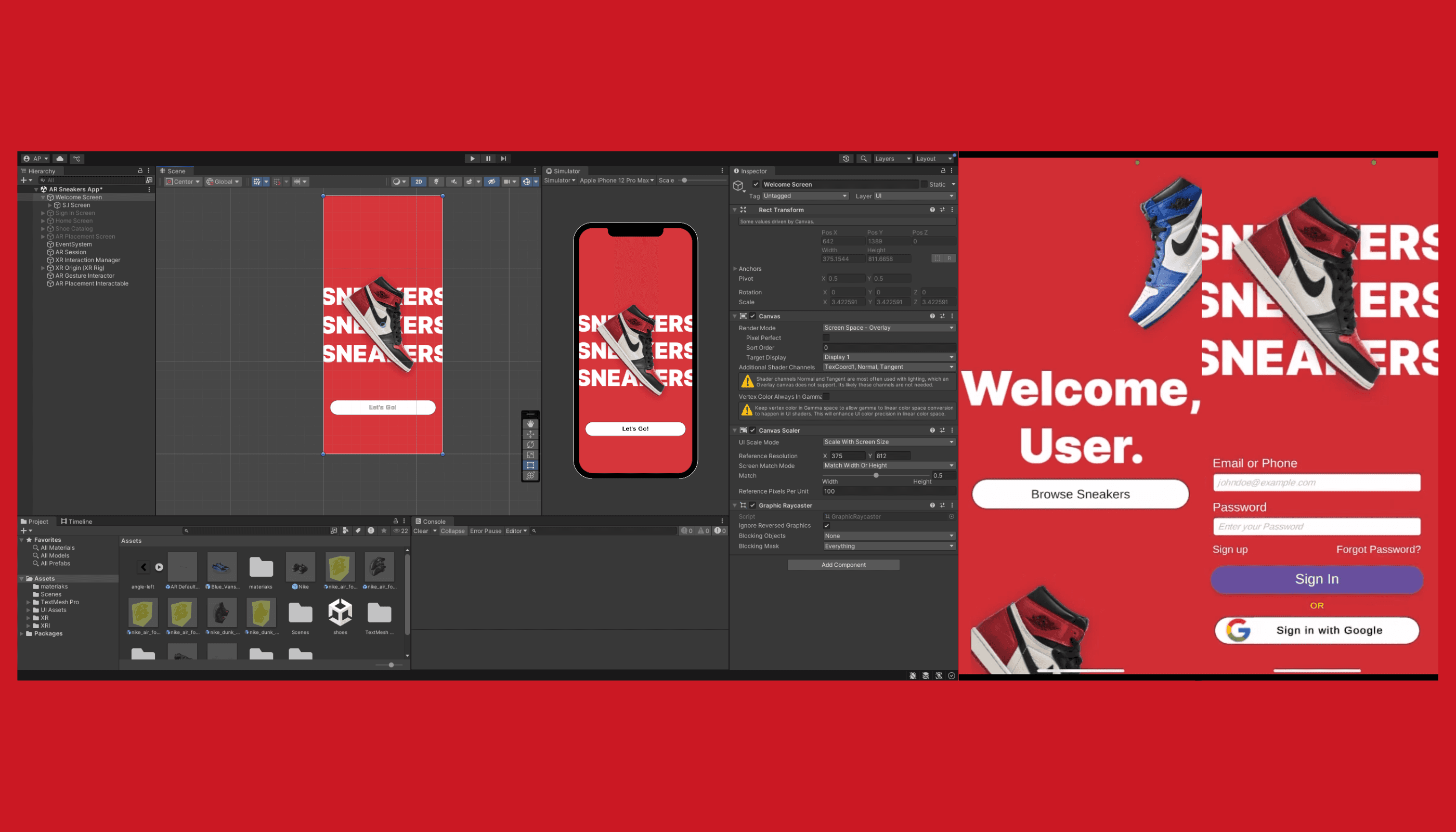
A short, calm welcome.
Every AR app I'd used opened with a permissions wall. I wanted the onboarding to feel like a product, not a system check, a short stack of screens introducing what AR is for and what the app would let you do, with the camera permission framed in the user's language rather than the OS's.
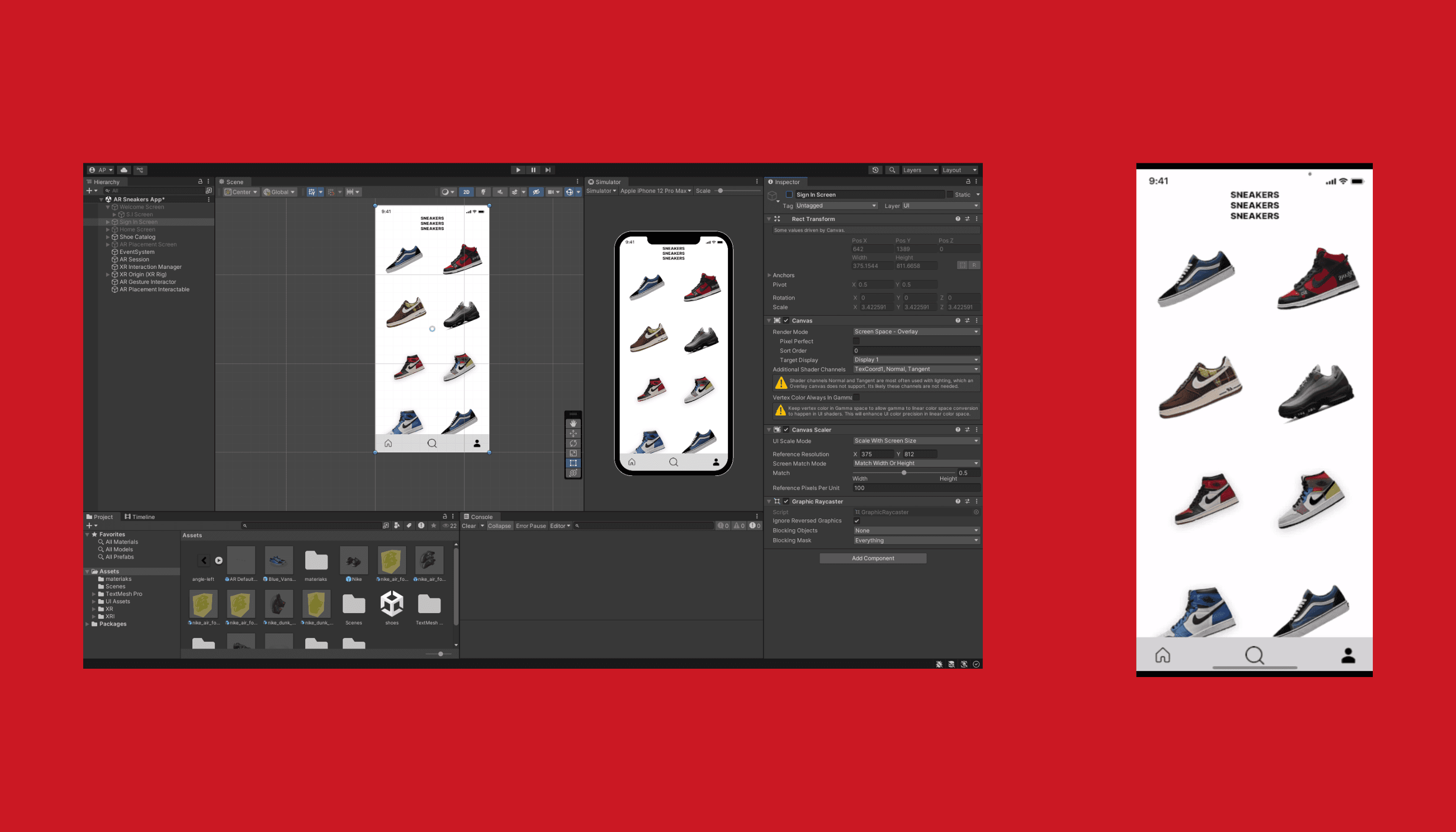
Catalogue first, AR second.
AR is the moment, but you have to browse before you place. The app catalog is intentionally restrained, minimal UI, large product imagery, plenty of negative space. You should feel like you're browsing a magazine, not a tracking demo. Tap a sneaker, hit 'Try in AR', and you're into the AR view.
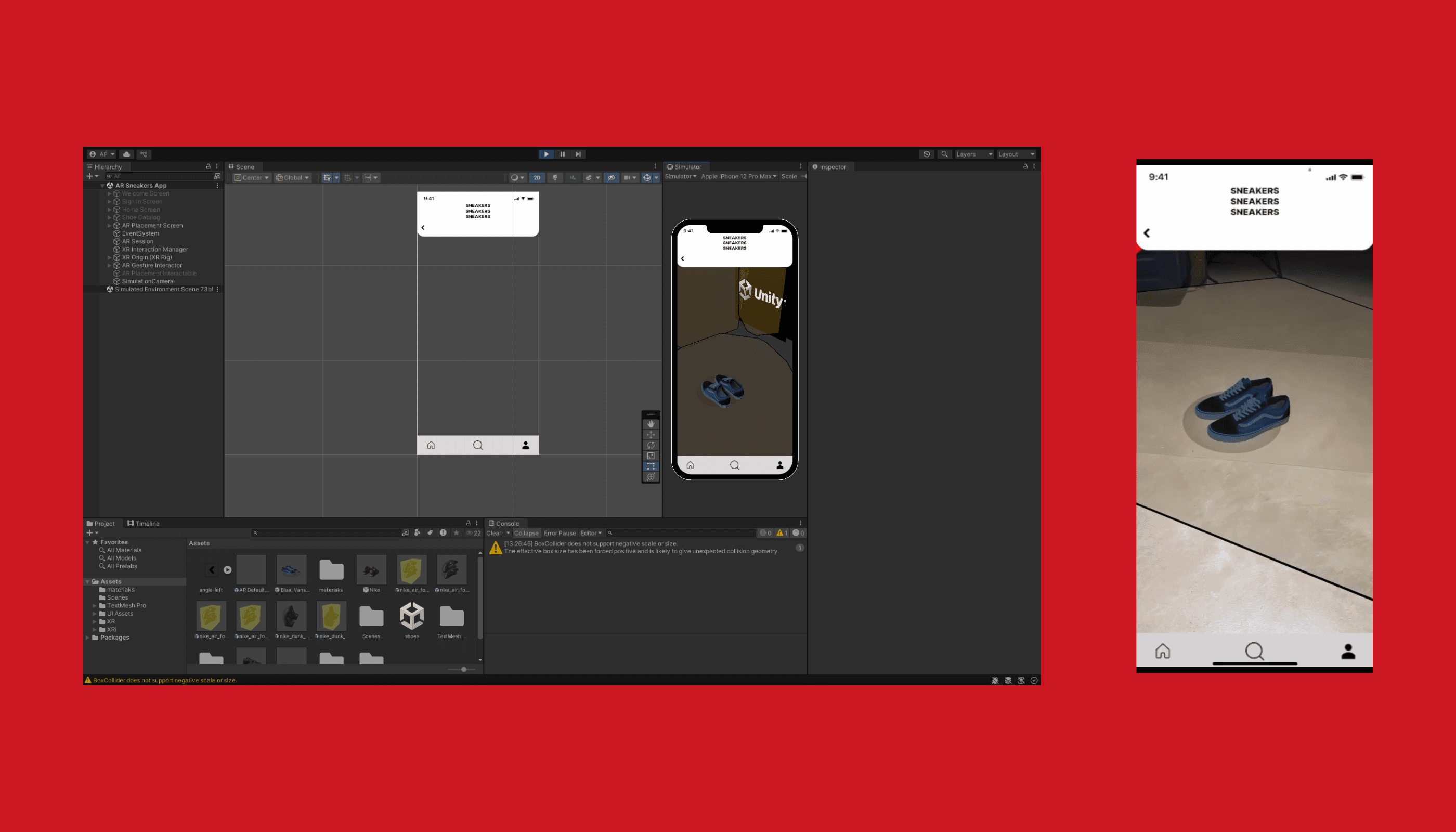
Markerless placement on the floor in front of you.
AR Foundation's plane detection finds the floor; the sneaker drops onto a hit-tested point in front of the camera. From there it's standard AR interactions, pinch to scale (within reason), drag to reposition, walk around it. Building it under a one-month timeline meant skipping inverse-kinematic 'try them on your foot' magic and committing to a cleaner 'place and inspect' loop, which actually held up better on a wider range of devices.
A working iOS AR app with catalogue browsing, full AR placement, and markerless tracking on real-world surfaces.